
Internet Insights & Guides
Expert tips, provider reviews, and industry news to help you make smarter connectivity decisions.

Clear Fortnite Voice Chat & Connection Errors on PS5/PS4
Getting 'Connection to Server Lost' errors or glitchy party voice chat in Fortnite on PlayStation? Strict firewall filters are handling Epic Games traffic. Clear the interference.

Step-by-Step Port Forwarding for Starcraft Remastered & Counter-Strike 2
Trying to host custom Starcraft lobbies or fix CS2 hit registration? Your Windows Firewall or router is dropping incoming player connections. Here is the fix.

Fix Lag in Call of Duty on PS5: Step-by-Step Port Forwarding Guide
A Strict NAT Type 3 on your PlayStation means your router's security features are actively delaying incoming game packets from match lobbies. Open the right lanes and drop your ping.

Stop Destiny 2 Error Codes on Xbox: Port Forwarding Guide
Cabbage, Beaver, or Marionberry errors? Destiny 2's P2P model connects you directly to every Guardian in your fireteam, and your router may be blocking those streams.

Fix Apex Legends Packet Loss and Connection Drops on Xbox
Frozen screens and 'Code:Leaf' disconnects right as you drop into the hot zone? Your console is losing sync with Respawn's EA servers. Build the direct tunnel.

Eliminate Lag Spikes and Network Choke in Apex Legends on PS5
Sudden ping spikes or choppy frame-to-server synchronization in Apex on PlayStation? Strict routing filters are mistaking Respawn's packets for threats.

Fix Destiny 2 Peer-to-Peer Disconnects and Chat Glitches on PS5
A Type 3 (Strict) NAT on PlayStation halts your ability to host or join Destiny 2 instances smoothly. Instruct your router firewall to let Bungie's traffic through.

Eliminate Matchmaking Latency in Marvel Rivals on PS5
Marvel Rivals matches feel unstable? Your PlayStation is likely running behind a restrictive firewall setting. Specialized port routing rules clear the bottleneck.

Port Forwarding Troubleshooting: FAQ & Router Brand Lookup
The reference directory for fixing port forwarding rules across every major router brand, plus straight answers to the four questions gamers ask most.

Master Call of Duty Matchmaking: How to Port Forward Your Xbox for an Open NAT
Stuck in Call of Duty matchmaking lobbies, then thrown into a high-ping match? Your router's firewall is likely blocking vital game data. Here is how to fix it.

Fix Marvel Rivals Server Connection Issues on Xbox
Keep running into 'Server Connection Failed' errors in Marvel Rivals? Your router might be treating the game's aggressive multiplayer data streams as a security threat.

Stop Fortnite Packet Loss on Xbox: Port Forwarding for Stable Play
Lining up a perfect sniper shot only to rubber-band backwards? Fortnite's cross-play matching can choke your router if its ports are closed. Forward the right lanes.
How to Pick an Upload Speed That Won't Break Your Stream
Every new streamer eventually hits the same wall: their stream drops frames, viewers complain about buffering, and no amount of tweaking OBS fixes it.
1080p60 Twitch Streaming in 2026: The Real Upload Speed You Need
The most common target for a new Twitch streamer is 1080p at 60 fps. The question is: how much upload speed does that actually take, once you factor in real-world variability?
Choosing an ISP as a Twitch Streamer: What to Look For
When a streamer shops for an ISP, the shopping criteria are almost the opposite of what a normal household looks for. Normal households care about download speed and price. Streamers care about upload.
The 1.5x Rule: How to Budget Upload Speed for a Stable Stream
One of the most useful rules of thumb in live streaming is the 1.5x rule. Your upload speed should be at least 1.5 times the bitrate you plan to stream at.
How Much Internet Do You Need to Upload YouTube Videos?
For anyone posting to YouTube regularly, upload speed is a direct measurement of how much of your day you spend waiting. A 10-minute 4K video is 3 to 6 GB. On a 10 Mbps upload plan, that is 40 minutes.
The Real Cost of Uploading 4K Video Content
Nothing exposes a slow internet connection like uploading 4K video. A single 10-minute 4K clip can be 5 to 15 GB, and every single bit of that has to leave your house before your audience sees it.
Streaming Bandwidth: What Twitch, YouTube, Kick, and Facebook Actually Require
Twitch is not the only streaming platform anymore. Kick is growing fast. YouTube Live has more infrastructure. Each platform has different bitrate limits and upload requirements.
Building a Content Creator Setup: Internet Comes First
New creators usually shop for a camera first, a microphone second, and treat the internet plan as an afterthought. This is backwards. The internet plan decides whether content actually ships on time.
Why Your Twitch Stream Drops Frames Every Night Around 8pm
Streamers on cable internet often notice the same pattern. Morning streams are perfect. Afternoon streams are fine. Then around 7 or 8 pm, dropped frames start piling up.
Bandwidth vs Latency: What Actually Ruins Your Game
Two players buy the same internet plan. One has flawless matches. The other rubber-bands across the map and dies behind walls. Same speed, wildly different experience.
Why Your Upload Speed Matters as Much as Your Download
Every internet ad talks about download speed. Gamers rarely look at the upload number, and that is a mistake. Every keystroke, mouse click, and controller input has to go up to the server.
How Many Mbps Do You Actually Need to Game Online?
The advertising for internet plans loves to shout gigabit numbers at gamers. The reality is more boring. Most competitive online games use less than 1 Mbps of real-time bandwidth during a match.
Is Wi-Fi Fast Enough for Online Gaming in 2026?
The old rule was simple: never game on Wi-Fi. In 2026, the answer is more nuanced. Modern Wi-Fi 6 and 6E routers are genuinely competitive with Ethernet for most players.
Fiber, Cable, or 5G Home Internet — Which Is Best for Gaming?
Choosing an internet type is now a real strategic decision for gamers. Fiber, cable, and 5G home internet are all widely available, and their advertised speeds look interchangeable. In practice, they behave very differently.
Why Ping Spikes Happen (Even on a Fast Connection)
You are in the middle of a clutch round. Your ping has been a steady 25 ms all night. Suddenly it jumps to 300, you rubber-band into a doorway, and you die. What just happened?
Console Gaming vs PC Gaming: Do They Need the Same Internet?
A common assumption is that PC gamers need way more internet than console players. In practice, the real gap is smaller than people think — but it does exist.
Cloud Gaming Changes the Speed Equation Completely
Traditional online gaming barely uses any bandwidth. Cloud gaming turns that math on its head. Instead of your console rendering the game locally, the game runs entirely in a data center.
Why Your Zoom Call and Your AI Coding Assistant Are Fighting for Bandwidth
A lot of developers now spend their day in two apps that are both heavy internet users: a video call platform and an AI coding assistant. Running them together on a marginal plan is where things fall apart.
The Real Reason Cursor and Claude Code Feel Faster Than Old-School IDEs
Developers who move from a traditional IDE to an AI-native one often say the same thing: it just feels faster. That is not marketing. Studies now measure the effect in controlled trials.
56% Faster or 19% Slower? What Your Internet Might Have to Do With It
The research on AI coding tools has produced two very different headlines. One study found developers 56% faster. Another found experienced developers 19% slower. Both are correct.
How Much Internet Do AI Tools Actually Need in 2026?
The honest answer to how much internet you need for AI is that raw bandwidth is not really the limit. AI tools use surprisingly little data. What they need is consistency and low latency.
Why Cloud-Based AI Coding Tools Live and Die on Latency
The AI models behind Copilot, Claude, ChatGPT, and Cursor do not run on your laptop. They run on massive GPU clusters in data centers that could be a thousand miles from your desk.
The New AI Coding Stack Requires More Bandwidth Than You Think
The AI coding workflow used to be a single tool: GitHub Copilot inside VS Code. That world is gone. A modern AI-augmented developer runs multiple tools simultaneously.
GitHub Copilot vs ChatGPT for Developers: Which Needs More Internet?
GitHub Copilot and ChatGPT are the two most common AI tools in a developer's toolkit, but they use your internet connection in very different ways.
Working from a Coffee Shop? Here's Why Your AI Assistant Feels Broken
A developer walks into a coffee shop, opens their laptop, connects to the public Wi-Fi, and fires up Copilot. Nothing works. The autocomplete that felt magical at home is now a joke.
Building an AI Coding Workstation? Start with the Internet Plan
When developers plan an at-home AI coding setup, the conversation usually starts with the laptop. Then the monitors. The internet plan is often an afterthought. That order is backwards.
How Much Internet Do You Actually Need to Work From Home?
The honest answer to how much internet you need to work from home depends less on your job and more on what else your household is doing at the same time.
The Remote Job Internet Requirements Nobody Told You About
When you accept a remote role, the offer letter almost never spells out what internet plan you need. The company assumes you have good internet. You assume your existing plan is fine.
Is 100 Mbps Enough for a Remote Worker in 2026?
Not long ago, 100 Mbps was considered a premium plan. Today, the FCC uses it as the baseline for what counts as broadband. What was a luxury five years ago is now the floor.
Latency, Jitter, and Packet Loss: The Remote Work Metrics Nobody Talks About
Most people shopping for internet look at one number: download speed. But three other numbers matter just as much for remote work, and none of them show up on the marketing page.
Why the FCC Just Redefined Broadband — and What It Means for Remote Workers
In 2024, the FCC officially raised the definition of broadband internet from 25/3 Mbps to 100/20 Mbps. That change was overdue, and it reflects what remote workers already knew.
How to Test If Your Internet Can Actually Handle Your Remote Job
The best way to know if your current plan can handle your remote work is not to guess. It is to test — not once, but at the times when your work actually happens.
How to Calculate Video Conferencing Bandwidth for a Whole Team
For a household, sizing internet for video calls is a rough calculation. For a small business or a team hub, it is an actual engineering exercise. Get it wrong and you get frozen faces.
Zoom Says It Only Needs 1.5 Mbps — So Why Do Calls Still Drop?
Zoom's official minimum requirements are misleadingly generous. The company says a call needs about 1.5 Mbps. Most home internet plans are 50 Mbps or more. In practice, Zoom calls drop constantly.
Video Call Bandwidth Requirements for 2026 (Zoom, Teams, Meet, Slack)
The four biggest video call platforms — Zoom, Microsoft Teams, Google Meet, and Slack — all have slightly different bandwidth appetites. When you are on a tight connection, the exact numbers matter.
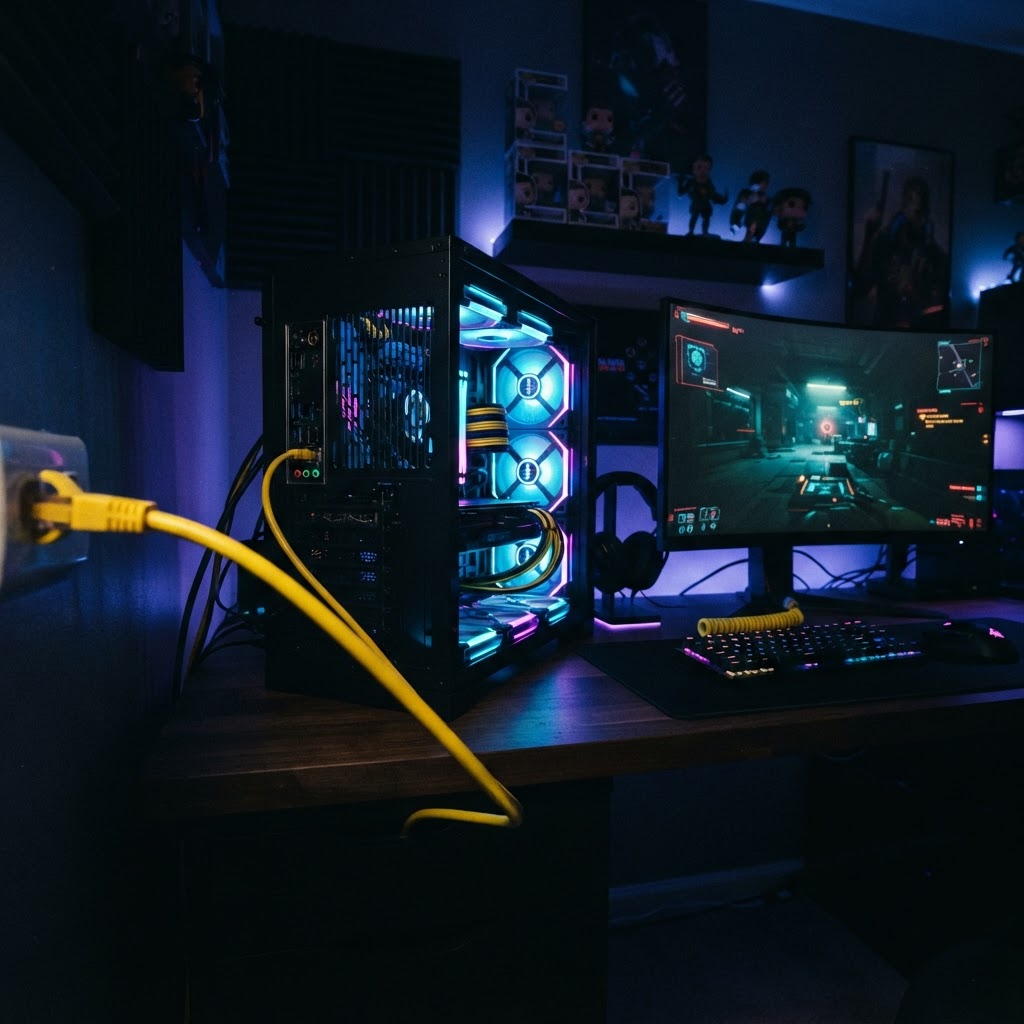
Why Your Internet Plan Matters More Than Your GPU for Online Gaming
You just dropped $800 on a new graphics card. You expect to dominate the lobby. Instead, you get shot from behind by an opponent who was not even on your screen a half-second ago. The GPU is not the problem. Your internet connection is.

The Silent Killer of Online Gaming: Jitter
Everyone talks about ping. Almost nobody talks about jitter. But jitter is the reason your character sometimes teleports, why your abilities register a half-second after you press them.

Slow Internet Is Silently Killing Your AI Coding Productivity
Every AI coding tool on the market depends on a fast round trip between your editor and a data center. A slow or jittery connection breaks the illusion.